

-
About UsThe 40-year history of the enterprise has witnessed the whole process of reform and opening up from the beginning to the continuous development. The company covers an area of nearly 400 mu, with total assets exceeding 2 billion yuan and annual production capacity of 2 million sets.

-
ProductsThe company's main theater seats, lecture hall seats, shared escort chairs, theater seats, auditorium seats, lecture hall chairs, hall chairs, 4D seats, telescopic stands, desks and chairs, apartment beds, etc.
-
CaseThe company has become the only supplier of seats for the Tiananmen military parade (the 100 anniversary of the founding of the party, the 70th anniversary of the founding of the people's Republic of China, and the 70th anniversary of the victory of the War of Resistance against Japan) for three times.
-
NewsThe company has successively passed quality management system certification, environmental management system certification, occupational health and safety management system certification, China environmental mark certification, and safety production standardization secondary certification.
-
ServiceOur goal is to make Condi serve the world and make the world satisfied with Condi. The company sincerely welcome colleagues from all walks of life, friends to visit the guidance, to discuss cooperation, a total of high.
Enhance Productivity with Ergonomic Desk and Chair Pairings: The Ultimate Guide for Comfort and Efficiency
Dec 01,2024
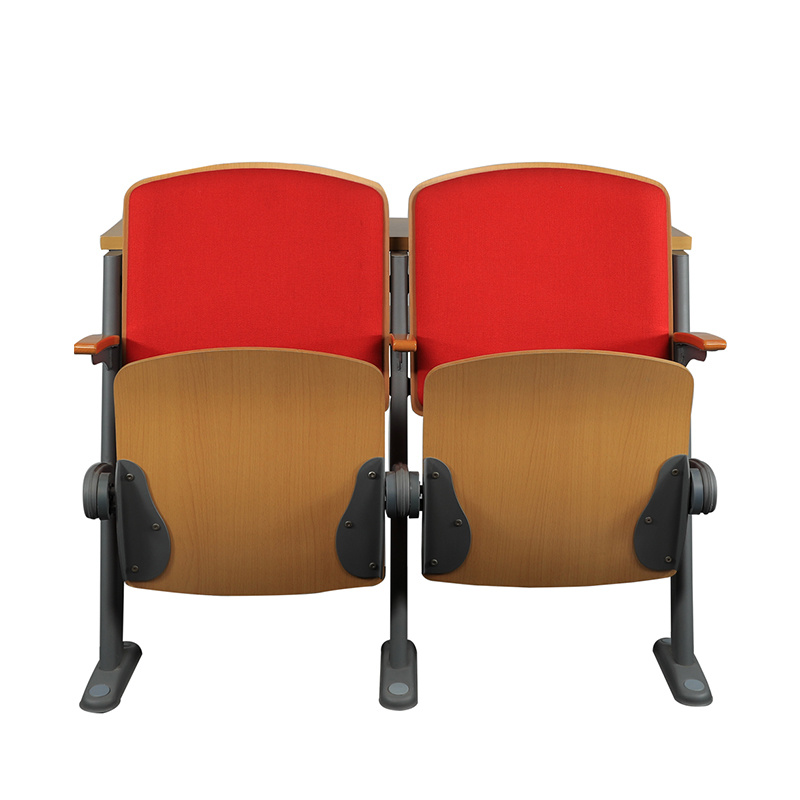
Enhance Productivity with Ergonomic Desk and Chair Pairings
Understanding Ergonomics: The Science Behind Optimal Comfort
Ergonomics plays a crucial role in our daily lives, especially in the workspace. The term refers to the study of people's efficiency in their working environment. When it comes to enhancing productivity, **understanding ergonomics** is paramount. An ergonomic workspace reduces strain on the body, minimizes discomfort, and promotes overall health.
By selecting the right desk and chair pairings, individuals can enjoy a workspace designed to support their body’s natural posture. **Proper alignment** of the spine, hips, and knees leads to less fatigue and more energy throughout the workday.
The Importance of an Ergonomic Workspace
Creating an ergonomic workspace is essential for several reasons:
1. Reducing Physical Strain
Many office workers experience issues like back pain, neck strain, and wrist discomfort due to prolonged periods of sitting in poorly designed furniture. An ergonomic desk and chair pairing can significantly reduce these issues by ensuring that body mechanics are supported.
2. Boosting Productivity
Studies have shown that comfortable employees are more productive. When an individual is comfortable, they can focus better on their tasks without being distracted by discomfort. **Investing in ergonomic furniture** can lead to more efficient work patterns.
3. Enhancing Mental Well-being
A well-designed workspace can also improve mental health. Ergonomic environments reduce stress levels associated with discomfort and allow individuals to feel more engaged and motivated at work.
Choosing the Right Ergonomic Desk and Chair Pairings
When selecting an ergonomic desk and chair, consider the following factors:
1. Desk Height and Type
Choosing the right desk height is crucial for maintaining good posture. Ideally, the desk should allow your elbows to be at a 90-degree angle while typing. There are various desk types available, including adjustable standing desks, which promote changes in posture throughout the day.
2. Chair Features
A high-quality ergonomic chair should have adjustable features such as:
- **Seat height**: The chair should allow you to sit with your feet flat on the floor.
- **Lumbar support**: This supports the natural curve of your spine.
- **Backrest**: An adjustable backrest can cater to your specific needs.
- **Armrests**: These should be adjustable to reduce strain on the shoulders and neck.
3. Material and Aesthetics
Consider the material of the desk and chair. Breathable fabrics and comfortable cushioning can enhance the experience. Additionally, aesthetic appeal may influence your overall workspace satisfaction. Choose colors and styles that inspire you.
Setting Up Your Ergonomic Workspace
Once you’ve chosen your desk and chair, the next step is to set up your workspace correctly.
1. Desk Arrangement
Position your monitor at eye level to avoid straining your neck. The top of the screen should be at or just below eye level, about an arm's length away. Your keyboard should be directly in front of you, with your wrists straight and your hands slightly below your elbows.
2. Chair Positioning
Adjust your chair so that your feet are flat on the ground, and your knees are approximately at hip level. Use a footrest if necessary. Make sure your back is well-supported by the chair’s lumbar support feature.
3. Organizing Your Workspace
Keep frequently used items within reach to minimize unnecessary strain. Organizing your desk can enhance efficiency and contribute to a clutter-free environment.
Maintaining Good Posture Throughout the Day
Even with an ergonomic setup, it’s essential to practice good posture.
1. Regular Breaks
Take breaks every 30 to 60 minutes to stretch and move around. A walk or simple stretch can reduce muscle tension and improve circulation.
2. Mindful Sitting
Be conscious of your posture while sitting. Keep your back straight, shoulders relaxed, and avoid slouching. Consider using reminders or apps to prompt you to check your posture throughout the day.
Common Mistakes to Avoid
When investing in ergonomic furniture, be aware of some common pitfalls:
1. Overlooking Adjustability
Not all ergonomic furniture is created equal. Ensure that your chair and desk are adjustable to fit your body type. What works for one person may not work for another.
2. Ignoring Additional Accessories
Sometimes, a mouse pad with wrist support or an ergonomic keyboard can significantly enhance comfort. Don’t overlook the accessories that complement your desk and chair.
Ergonomic Trends in Furniture Design
The world of ergonomic design is continually evolving. Here are a few trends to watch:
1. Smart Furniture
Innovations in technology have led to the rise of **smart desks** and chairs that can track your posture and remind you to stand or adjust throughout the day.
2. Biophilic Design
This design principle incorporates elements of nature into the workspace, promoting well-being and reducing stress. Consider plants, natural materials, and outdoor views when designing your ergonomic workspace.
Frequently Asked Questions (FAQs)
1. What is the best ergonomic chair for home use?
The best ergonomic chair varies by individual needs, but look for features like adjustable lumbar support, seat height, and armrests.
2. How often should I take breaks when working at a desk?
It’s recommended to take a break every 30 to 60 minutes. Stand, stretch, and move around to prevent stiffness.
3. Are standing desks better than sitting desks?
Standing desks can provide a break from sitting, but the best approach incorporates both sitting and standing throughout the day to maintain comfort.
4. Can ergonomic furniture help with back pain?
Yes, ergonomic furniture is designed to support proper posture, which can alleviate back pain caused by poor seating arrangements.
5. How can I ensure my desk setup is ergonomic?
Adjust your chair height, monitor positioning, and keyboard placement according to ergonomic guidelines. Seek professional advice if needed.
Conclusion
Investing in ergonomic desk and chair pairings is a significant step towards enhancing productivity and creating a comfortable workspace. By understanding the principles of ergonomics and making informed choices, individuals can reduce discomfort, boost productivity, and promote overall well-being. Remember, the ultimate goal is to foster an environment where creativity and efficiency can thrive. Embrace the change and transform your workspace into a haven of productivity with the right ergonomic solutions.
Previous Page:
Contact Us
E-mail :
skzy@kangdi.cn
Service Hotline:
+86-400-0312-699
Address:
Xiongzhou Private Science and Technology Industrial Park, Xiongxian County, Hebei Province